
Explore and compare
The SlightlyMap home page is a map of the whole world, drawn in one ink-and-paper style down to every street. It is also a tool to look at borders, populations and history, and to build your own maps.
Every street, everywhere
Turn the globe, zoom anywhere: country names give way to regions, cities, neighbourhoods and finally every street, footpath and building. Switch the view between a globe and a flat map, show or hide names, land cover, buildings and relief.
Borders, today and in history
The Borders panel shows administrative levels from countries down to municipalities, each in its own colour, with an optional four-colour background so neighbours never share a colour. It also holds historical layers: for France, the provinces, généralités, pays and bailliages of 1789, the first départements of 1790 and their changes in 1815, 1860, 1871, 1919 and 1968; for the United Kingdom, the historic counties. Historical layers are rebuilt from the same base as today's municipalities, so a border shared by two periods falls exactly in the same place.
Population
The population layer shows where people live, from the Global Human Settlement Layer 2025, as a fine grid across the whole planet.
Select, group and compare
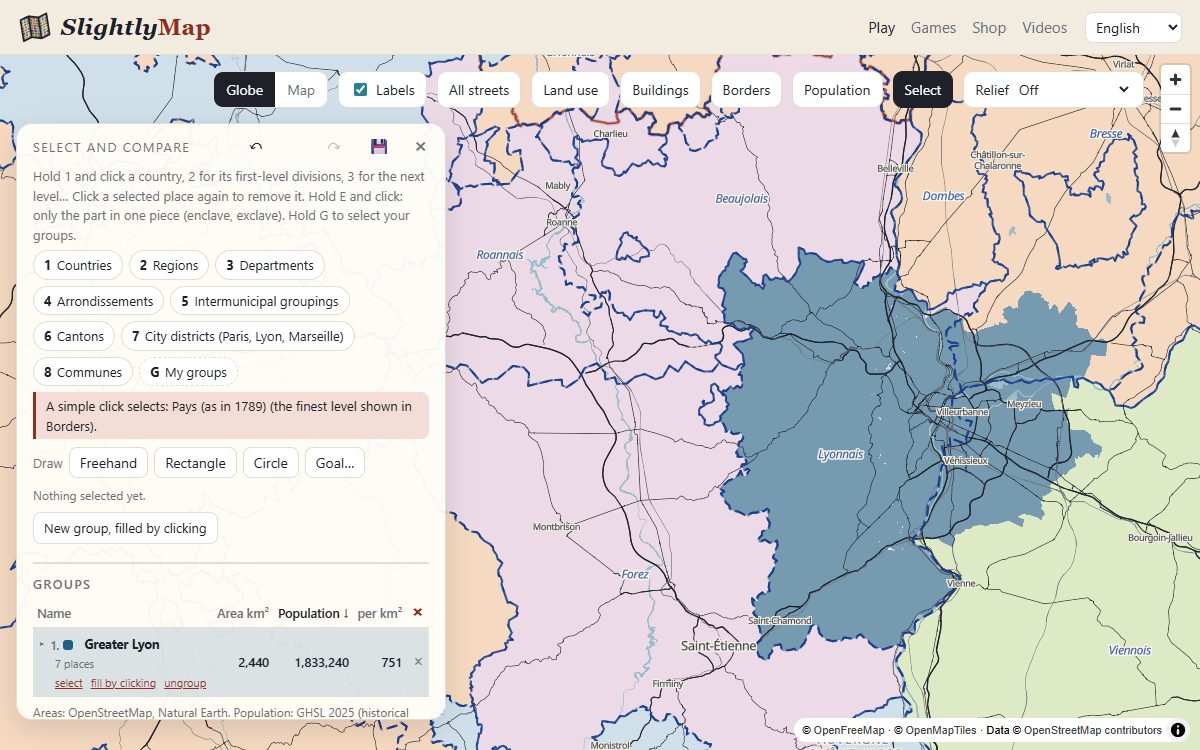
Open Selection and click places at any level: countries, regions, departments, municipalities, or units of a historical layer. Each selection shows its area, population and density, counted once even when layers overlap. Group places into your own territories — a metropolitan area, an old province, a region that never existed — and each group gets its own colour and totals.
- Exclaves and enclaves: hold E and click to take only the part of a territory that is in one piece.
- Already grouped places are left out automatically when you select something larger.
- Undo and redo with Ctrl+Z and Ctrl+Y.
- Save your map as a file and open it again later. Your maps stay on your device: nothing is sent to us.